Birdseed
In the garden
How to Bring Your Old Garden Notes into Percy
Your garden didn't start with Percy. Here's how to bring the seasons you kept before it into your journal, in three steps.
Most gardeners kept something before Percy. A running note on your phone. A spreadsheet with very confident column headers. A notebook that's thorough in March and stops somewhere in June.
Now you can bring it in. Percy reads your notes, finds the dates, and puts each day back on the day it happened, in your own words. You don't retype anything.
It takes three steps.
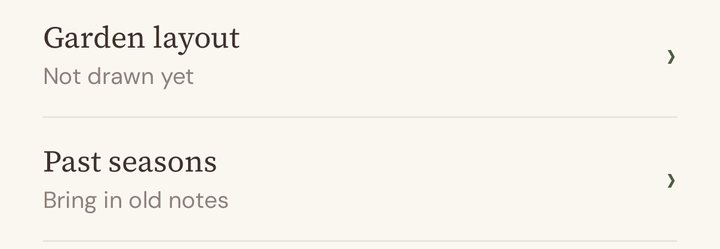
1. Open Past seasons
In Percy, go to Account, then Past seasons.
2. Paste your notes, or choose a file
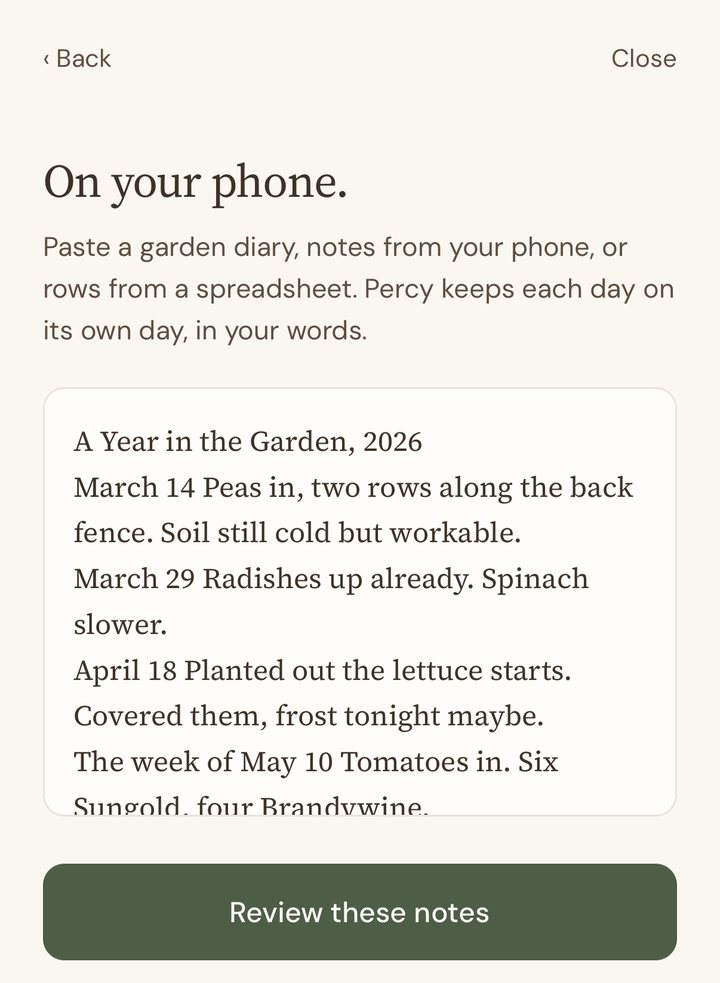
If your notes are in the Notes app, a document or an email, copy them and paste them in. If they're in a file, choose it: a Word document, a spreadsheet saved as CSV, or a text file. Percy reads the words on your phone and doesn't keep the file.
A handful of days is fine. So are years of notebooks at once. Percy reads long ones in parts.
3. Look them over and save
Percy shows you everything it found, month by month, one day to a row. Your words sit next to each date, with the plants and what you did picked out underneath.
Tap any day to change its date, fix the words, add a photo from that day, or leave it out. If Percy wasn't sure of a date, that day waits at the top for you instead of getting a made-up one.
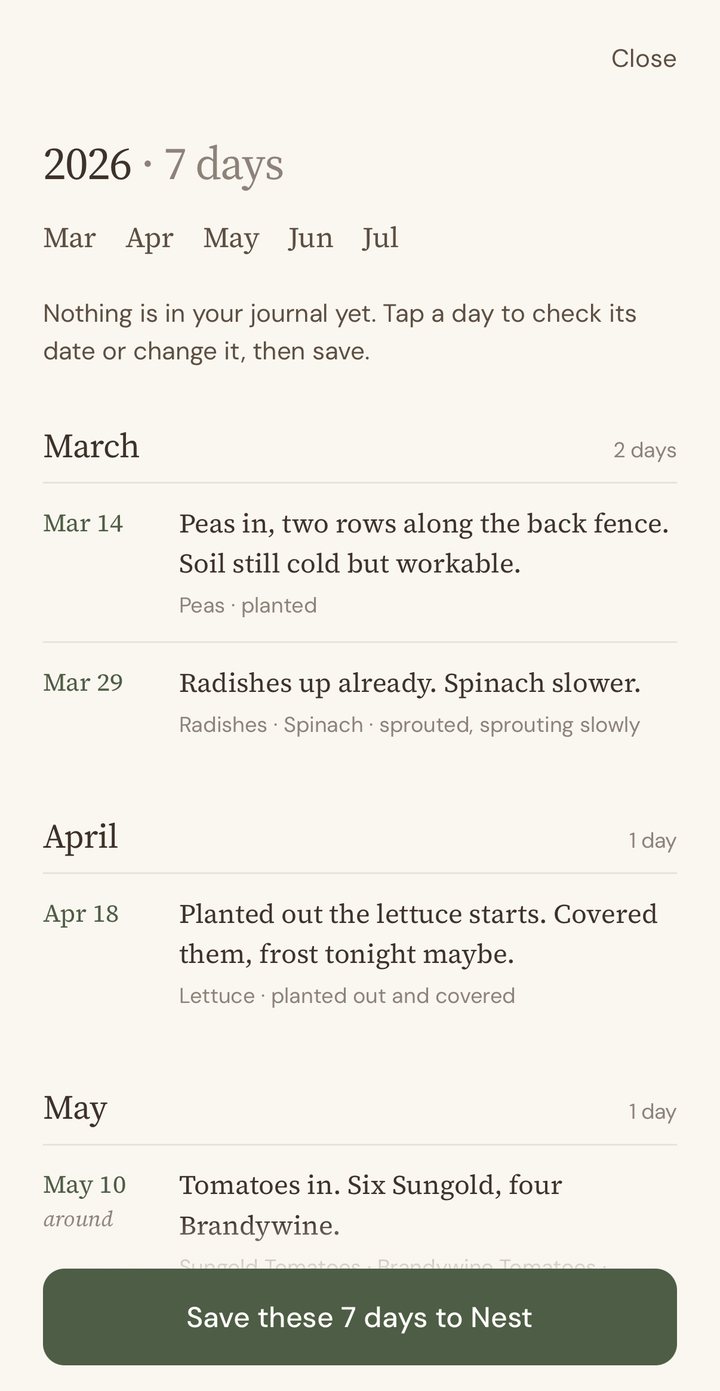
When it looks right, tap Save these days to Nest. Nothing goes into your journal before that.
Your garden has a history now
Those days are now ordinary notes in your Nest, on the dates they happened, alongside everything you've told Percy since. Notes from earlier years each become their own season. The next time you're deciding where the tomatoes go, last year's tomatoes are right there.
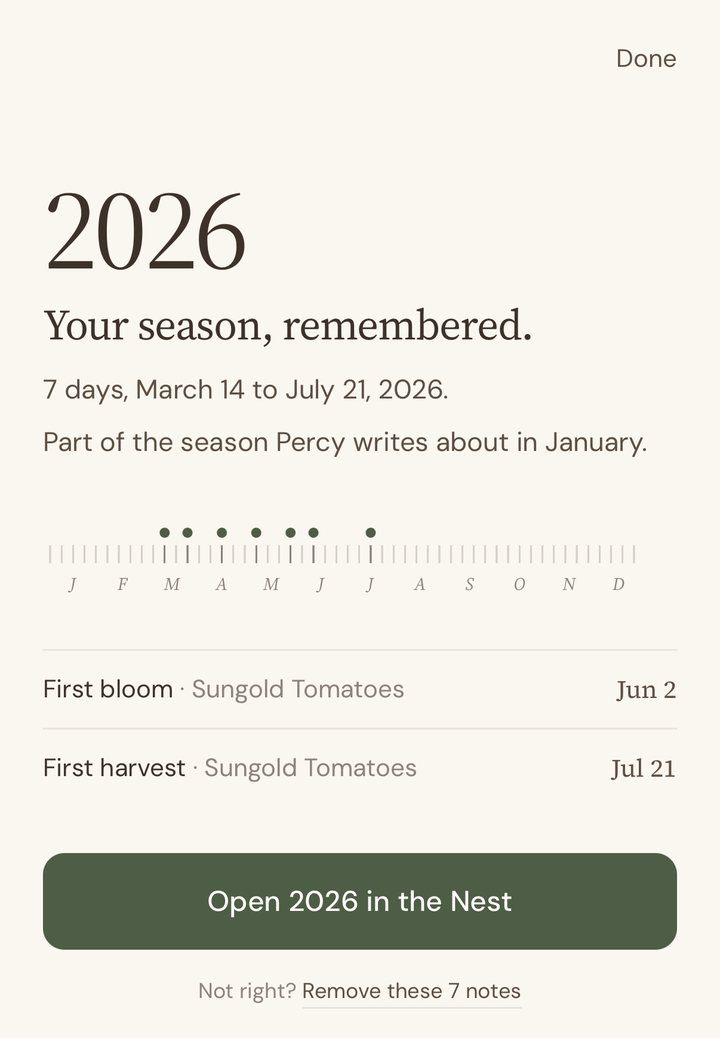
Notes from this year count toward this season. Bring them in before the end of December and they're part of the Migration Report Percy writes about your year in January. If you started a notebook in April and found Percy in June, your report can start in April.
Good to know
Put the date first. "March 1 The radishes came up" reads better than a date buried mid-sentence.
Include the year once, even just at the top. Without it, Percy assumes the most recent year that fits, and you can change it while you look things over.
Rough dates are fine. "The week of May 10" or "In April we mulched" are kept as approximate and shown that way.
Nothing is added twice. Days already in Percy, and passages that got pasted more than once, are skipped.
Fifteen years back. Percy keeps days from the last fifteen years, up to today. Dates in the future wait for you to check, since they're more likely a plan than a diary.
Handwritten notebook? For now, type out the entries you want to keep, or paste them from a typed copy.
Changed your mind? In Account, then Past seasons, every import is listed with a Remove. Those days leave your Nest and Percy's memory. Nothing else you've told Percy is touched.
Percy keeps your words as you wrote them and doesn't rewrite them. What you bring in is handled like everything else you tell Percy. The details are in our privacy policy.
That notebook that stopped in June still counts.
Percy is the garden journal that remembers, so you can enjoy your garden. Your first full growing season is free, and it ends with your Migration Report: your garden’s year in review.

Your garden has always had a story. Percy remembers it.
Free for your first growing season. Then $39/year as a Founding Member, locked in for as long as you stay subscribed. The price will rise as Percy grows. Yours won't. No credit card to start. Your data is yours regardless.